---
title: How do I reset my password for Groves Method Connect?
description: Password reset
---
[Skip to content](https://glp.groveslearning.org/how-do-i-reset-my-password-for-groves-method-connect#main-content)
English - United States
Show submenu for translations
Open main navigation
Close main navigation
- English - United States
Show submenu for translations
- [Contact us](mailto:glp@groveslearning.org)
[Contact us](mailto:glp@groveslearning.org)
How can we help you?
- There are no suggestions because the search field is empty.
1. [Customer Troubleshooting Wiki](https://glp.groveslearning.org/?hsLang=en-us)
2. [Account Access](https://glp.groveslearning.org/account-access?hsLang=en-us)
3. [Resetting Password](https://glp.groveslearning.org/account-access?hsLang=en-us#resetting-password)
# How do I reset my password for Groves Method Connect?
If you forgot your password, click forgot password on the log in page.
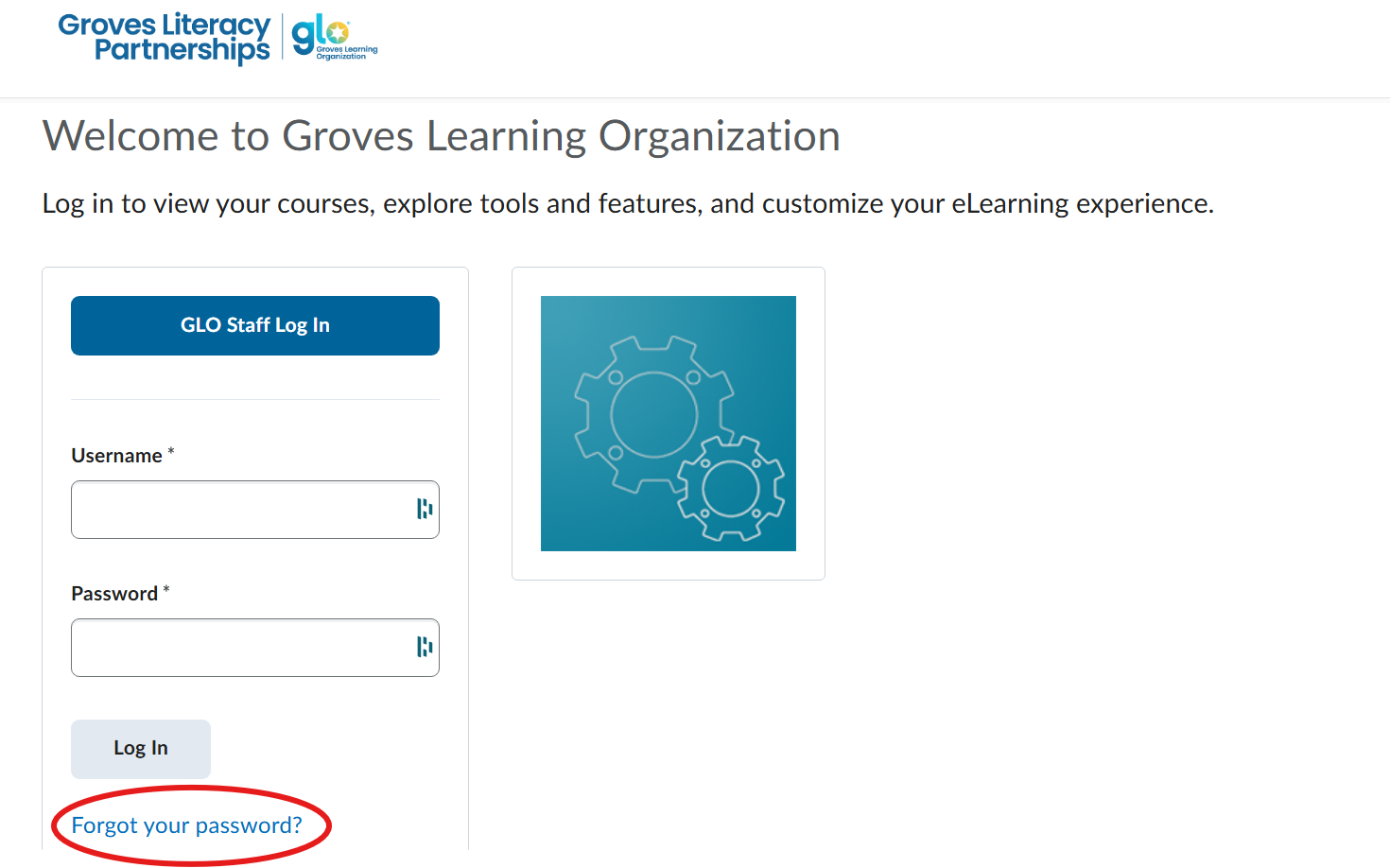
Then fill in your username and hit submit. Please note that your username is NOT your email. If you do not know your username, please contact us at glp@groveslearning.org.
---
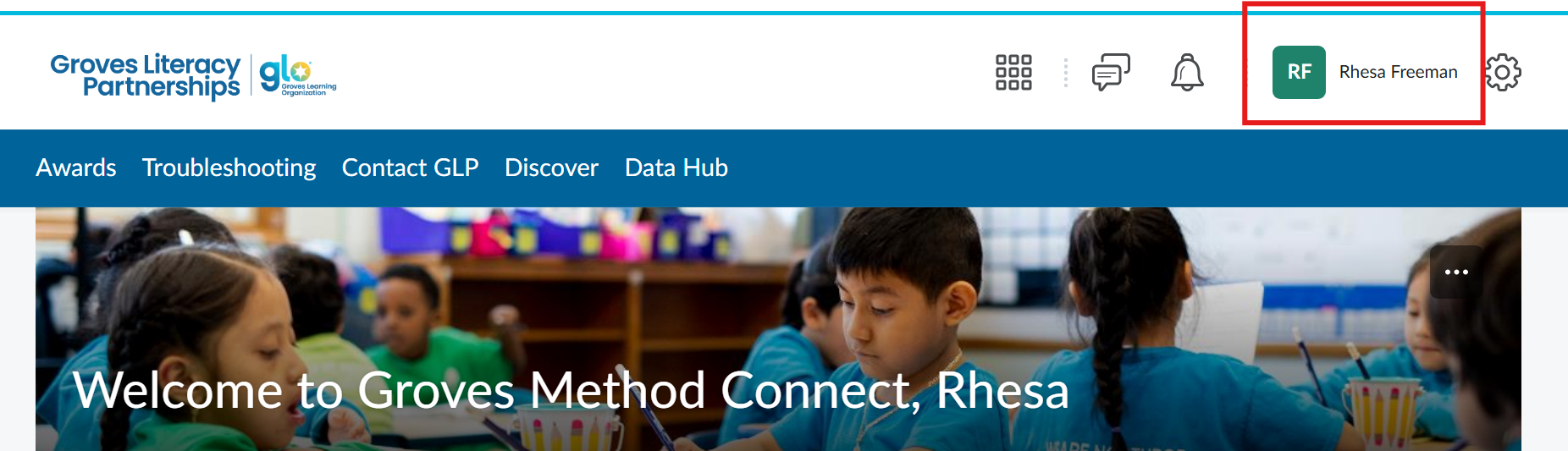
If you know your password, log into Groves Method Connect. Then click on your name on the upper right hand side.
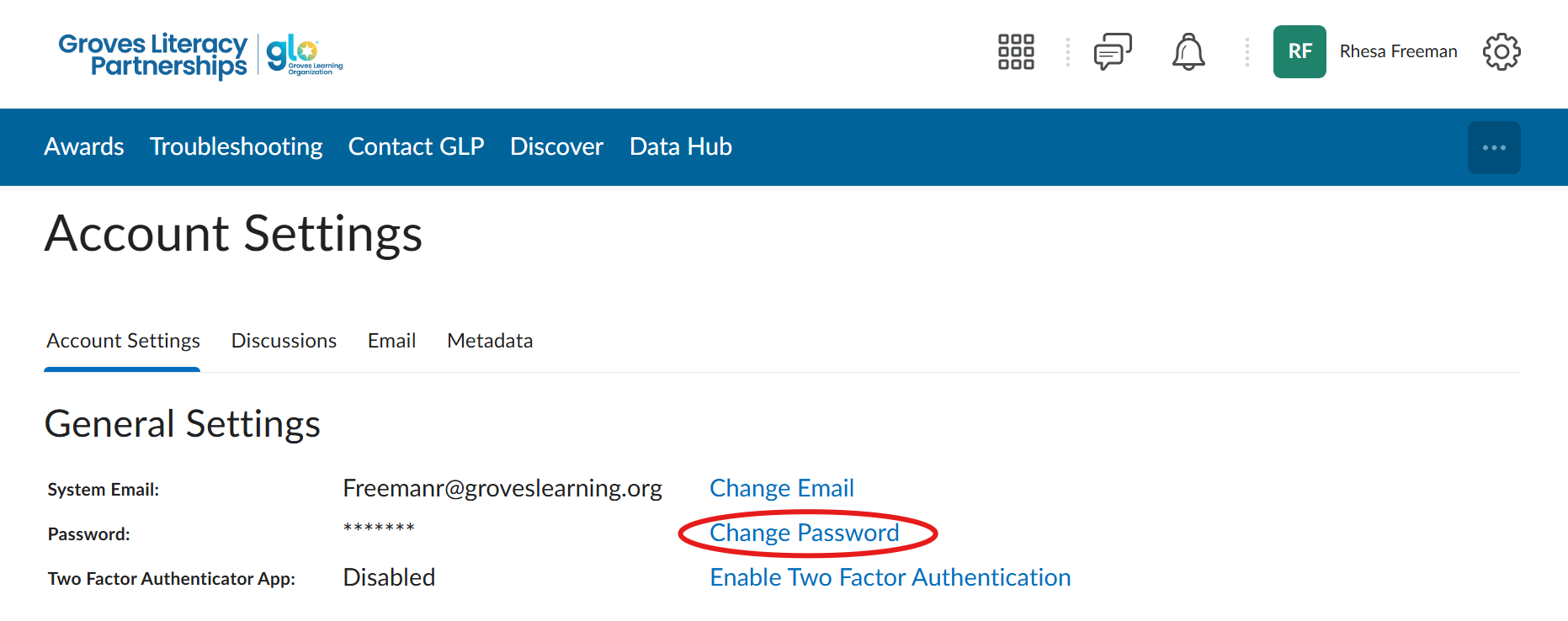
From the dropdown menu, click account setting. Then select Change Password.
- [Account Access](https://glp.groveslearning.org/account-access?hsLang=en-us#main-content)
- [Resetting Password](https://glp.groveslearning.org/account-access?hsLang=en-us#resetting-password)
- [Curriculum Ordering](https://glp.groveslearning.org/curriculum-ordering?hsLang=en-us#main-content)
- [Add-On Orders](https://glp.groveslearning.org/curriculum-ordering?hsLang=en-us#add-on-orders)
- [Course Completion](https://glp.groveslearning.org/course-completion?hsLang=en-us#main-content)
- [Badges](https://glp.groveslearning.org/course-completion?hsLang=en-us#badges)
[](https://www.groveslearning.org/literacy-partnerships/)
[mailto:email@email.com](mailto:email@email.com)
Copyright © 2026, Groves Learning Organization